
Effectiveness Rules
Describe meaningful pageview and session behaviour for engagement measurement.
Updated 9 August 2026Measure whether a visit achieved something meaningful
Effectiveness replaces a simple present-or-absent view of engagement with explicit business rules. It lets Incendium distinguish a pageview or session that met its objective from one that merely occurred.
That matters because bounce rate treats many very different visits alike. Effectiveness can incorporate attention, depth, interactions, conversions and lead quality, giving reporting and Effectiveness-Based Attribution a more useful signal.
Use the two rule levels
Decides whether one pageview achieved its objective. A rule can apply to every Location or only selected Locations.
Decides whether the complete visit was successful using outcomes and behaviour across its pageviews.
Pageview rules supply a reusable measure of success at page level. Session rules can then evaluate the journey as a whole, including the proportion or number of effective pageviews.
Build the rule logic
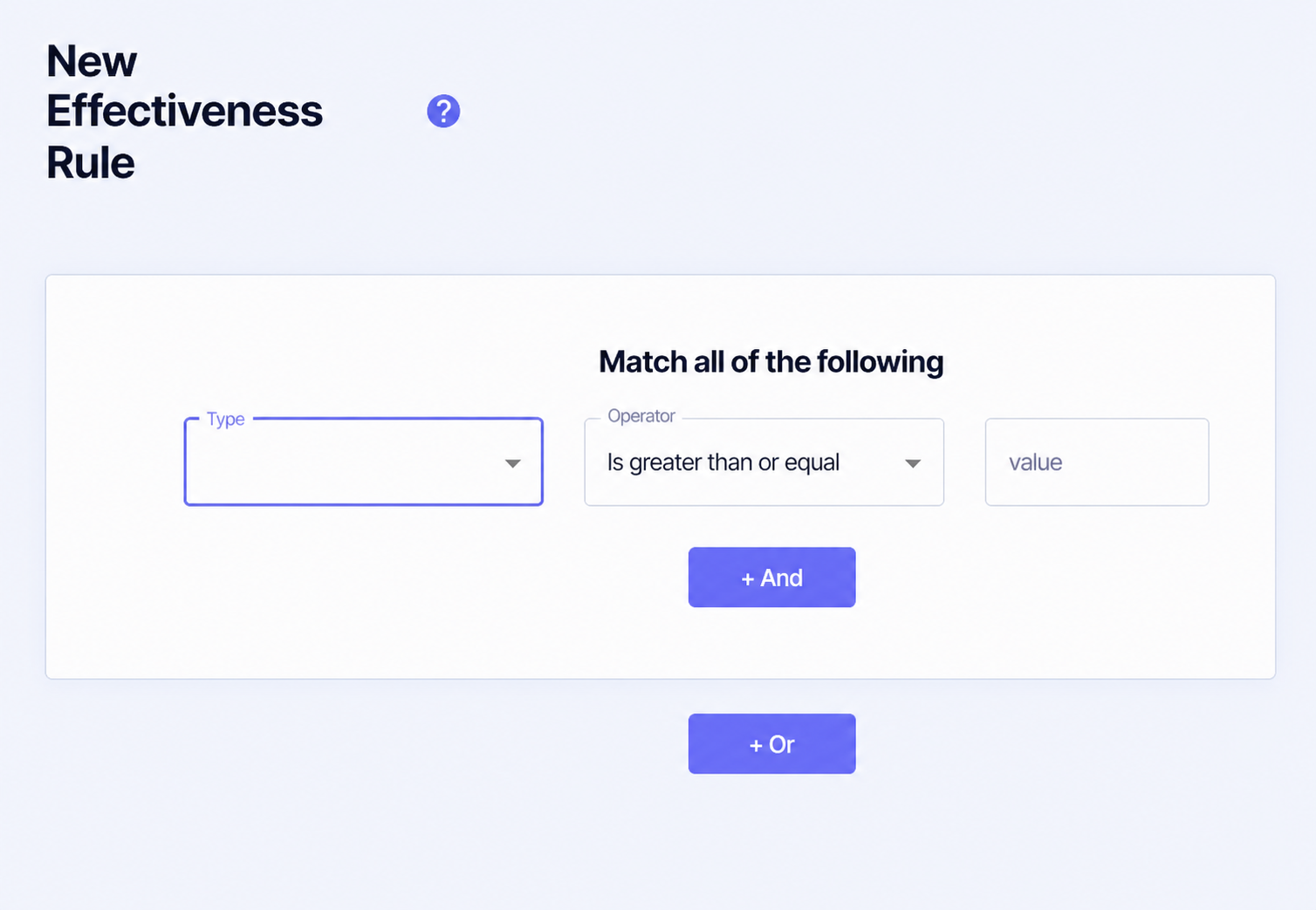
Selects the behaviour or outcome to measure.
Compares the observed value with the threshold using greater than, less than, equal or not equal logic.
Sets the percentage, count, score, seconds or other threshold required by the chosen Type.
Adds another condition that must also be met within the current group.
Adds an alternative group, allowing a different route to qualify as effective.
Name the rule after the business meaning it captures, not the raw threshold. For pageview rules, choose all Locations only when the same standard makes sense across the site; otherwise select the specific Locations the rule was designed for.
Pageview Effectiveness options
Pageview rules can use:
- amount of the page scrolled to or viewed;
- time on the page;
- a Conversion or goal achieved;
- numbers of Conversions, Interactions, or either;
- Lead Score gained on the pageview;
- whether the lead ranks in the top percentage for scroll rate, time spent or view rate.
Choose evidence that matches the page's job. Scroll depth can be useful for a long article, while a product or enquiry page may be better judged by a meaningful Interaction or Conversion. A universal time threshold is simple, but it can misclassify visitors who complete their task quickly.
Session Effectiveness options
Session rules can evaluate:
- the percentage of effective pageviews in the visit;
- average time across the visit's pages;
- pageview, effective-pageview, Interaction, Conversion or sale counts;
- sales revenue;
- Lead Score gained during the visit;
- a Conversion achieved;
- top-percentage rankings for scroll rate, time spent or view rate.
Use session criteria to describe a genuinely useful visit, not simply a long one. For example, a short visit that completes a sale can be more effective than a lengthy session with no meaningful outcome.
Save and maintain the rules
Save stores the rule while keeping the editor open. Save & Exit stores it and returns to the rules list. Cancel leaves without saving the current changes.
- Start with the clearest business outcomes before adding behavioural proxies.
- Keep overlapping rules intentional so effectiveness is explainable.
- Review thresholds after enough real traffic has accumulated.
- Revisit Location-specific rules when page designs or content lengths change.
- Record material changes because they can alter engagement and attribution trends.
Changing these rules can change which touchpoints Incendium treats as valuable. Validate them before adjusting EBA weights, so attribution changes remain understandable.