
Signals for Meta
Send selected, quality-controlled first-party events to Meta through Incendium.
Updated 9 August 2026Send Meta fewer, more useful signals
Optimize → Signals → Meta controls which Incendium events are forwarded through Meta CAPI and reports the quality of that signal stream. The aim is not to send every available action. It is to send meaningful, correctly defined first-party events while filtering activity that Incendium identifies as junk or bot traffic.
Advertising systems optimise towards the events they receive. Filtering low-quality activity and selecting events that represent real intent can give Meta a stronger basis for targeting while keeping Incendium's independent measurement available for evaluation.
Read Signal Filtration
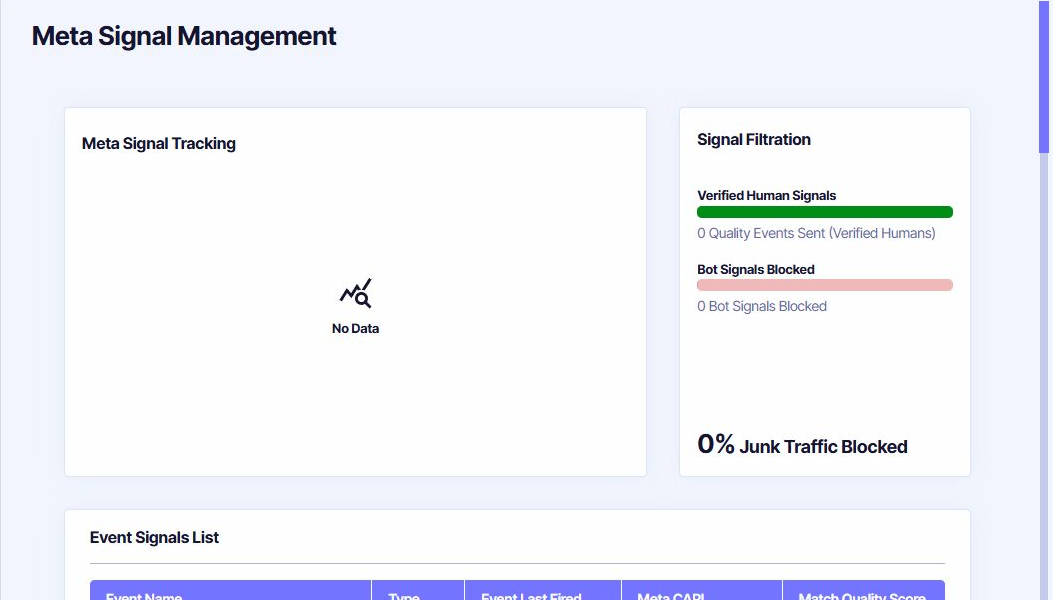
- Verified Human Signals counts quality events sent from activity that passed Incendium's filtration.
- Bot Signals Blocked counts activity prevented from becoming an outgoing optimisation signal.
- Junk Traffic Blocked expresses the filtered share for the selected reporting context.
Zero values can mean no eligible events occurred, all triggers are off, or the connection is not yet producing signal activity. Check the event list before treating zero as a quality conclusion.
Choose events in the Event Signals List
Each row identifies the Event Name, its Type, when it last fired, the Meta CAPI trigger state and its Match Quality Score when available. Enable a trigger only when the event definition is stable and commercially meaningful.
Use quality thresholds configured in Incendium rather than treating every visit or view as equally valuable.
Use validated outcomes such as a purchase or lead completion, avoiding duplicate definitions for the same action.
Send selected high-intent steps where they genuinely help optimisation. Do not enable every navigational click.
Review quality after enabling a trigger
Confirm the event fires in Incendium, appears in the Event Signals List with an expected recent time, and reaches Meta without duplicates. Monitor Match Quality and the filtration summary after enough real activity has occurred.
When two Incendium events represent the same business action, resolve the duplicate in Conversion or Interaction setup before enabling both. More events do not compensate for unclear definitions.