
Traffic Buckets
Create overlapping traffic groupings for comparison and attribution.
Updated 9 August 2026Build overlapping traffic groups
Traffic Buckets group traffic for comparison and attribution without forcing each session into only one strategic label. A session can belong to multiple Buckets at the same time; a session can belong to only one Traffic Channel.
Use Channels for the definitive acquisition taxonomy. Use Buckets for questions that overlap that taxonomy—for example, grouping several Channels, campaigns or source patterns into a wider strategic cohort.
Create the matching logic
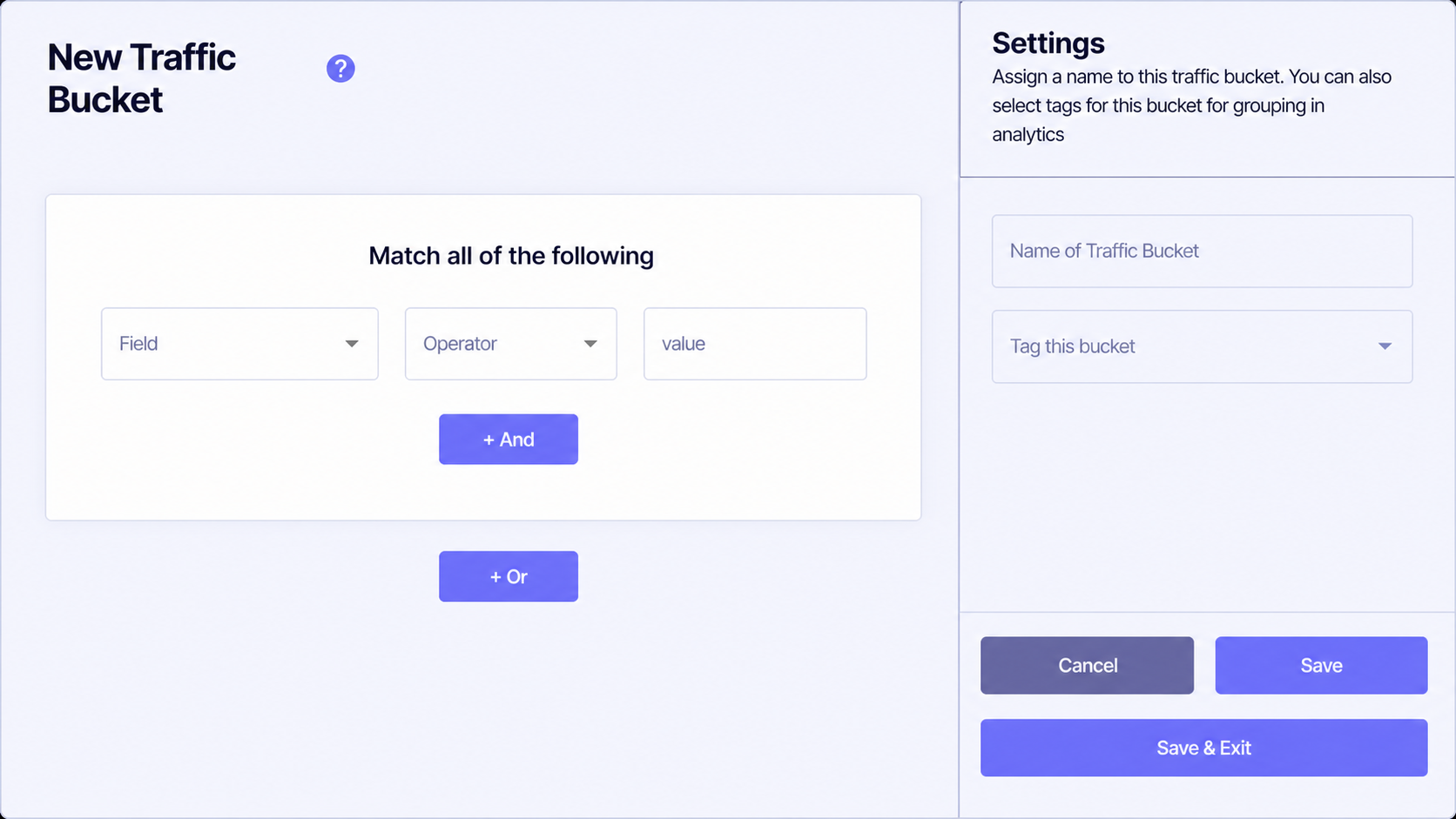
Select the traffic attribute that the rule should inspect.
Choose how the selected field is compared with the supplied value.
Enter the source, campaign or other value the Bucket should recognise.
Adds another condition that must also match within the current rule group.
Adds an alternative rule group, allowing a different set of conditions to qualify.
Name, tag and save the Bucket
Give the Bucket a name that describes the analytical question rather than its implementation. The optional Tag this bucket control groups related Buckets for use in analytics.
- Cancel leaves the builder without saving the current changes.
- Save stores the Bucket and keeps the builder open.
- Save & Exit stores the Bucket and returns to the Buckets list.
Do not recreate the mutually exclusive Channel list as Buckets. Build Buckets where overlapping membership helps answer a real comparison or attribution question.